
Your script, over any camera.
TeleFloat floats your script on top of the Camera app, Instagram, TikTok or any camera you like. It scrolls on its own, right next to the lens, so you can look at your audience and still never lose your place.
No account, no ads, no tracking.
Write it once. Read it anywhere.
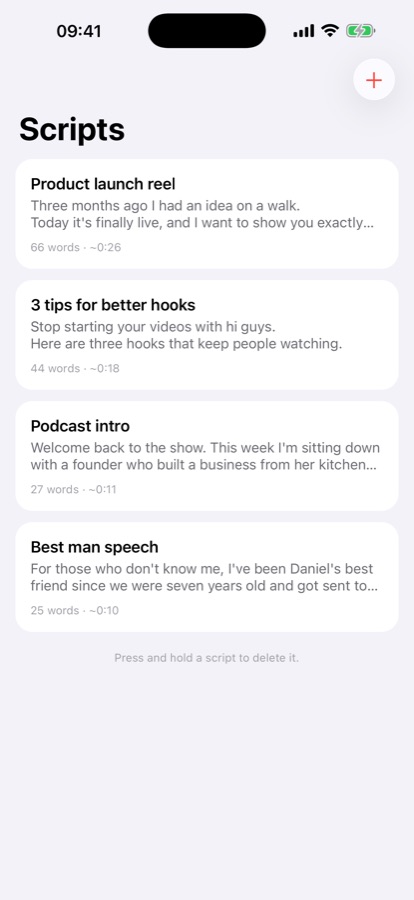
Paste your script
Type it or paste it in. Your scripts are saved on your phone and ready when you are.
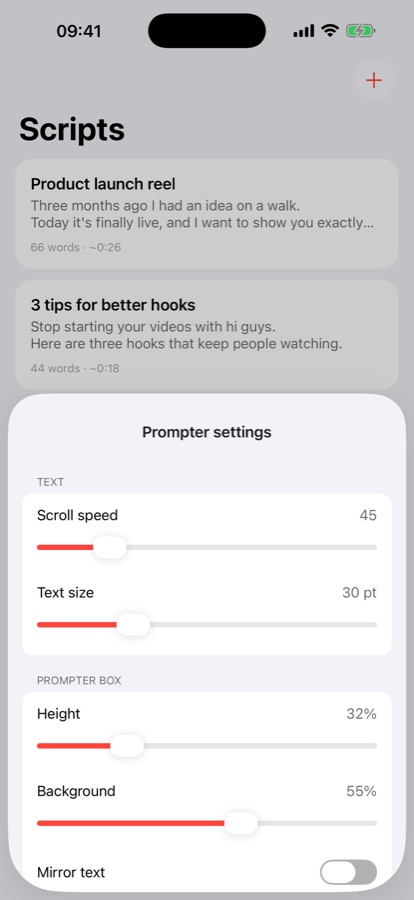
Set your pace
Pick the scroll speed and text size that feel natural to read out loud.
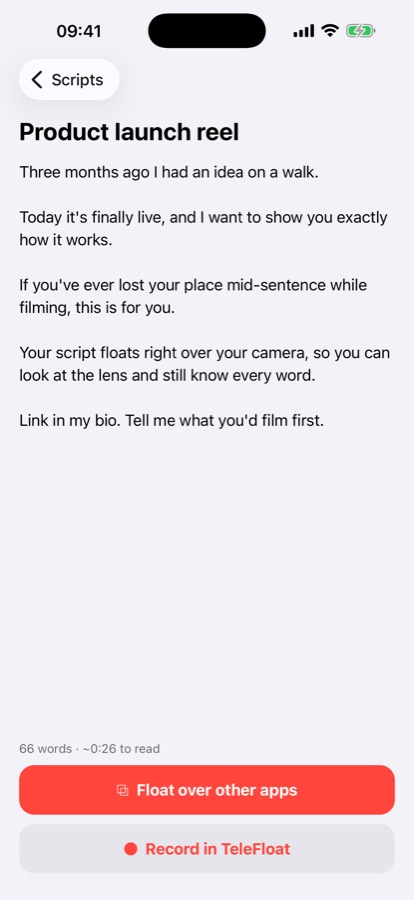
Float it
Tap Start floating window. After a short countdown the script starts scrolling.
Hit record
Open your camera app. Your lines stay on top, just under the lens.
Or record right in TeleFloat.
Prefer one app? The built-in camera keeps your script in a box at the top of the screen, close to the lens, and saves finished videos straight to your Photos.
Everything you need. Nothing you don't.
Floats over other apps
Works with the Camera app and the cameras inside your social apps.
Your speed, your size
Adjust how fast it scrolls and how big the words are.
Countdown
A short countdown gives you time to get into position before it starts.
Mirror mode
Flip the text for glass teleprompter rigs.
Headphone control
On iPhone, pause and resume with your headphone button.
Private by design
No account and nothing uploaded. Your scripts never leave your phone.
Good to know.
Does it work with Instagram and TikTok?
Yes. The floating window stays on top of the camera inside Instagram, TikTok and other apps, as well as your phone's own Camera app.
How does it work on iPhone?
On iPhone the script shows in a Picture in Picture window, the same kind of small window you see on video calls. You can drag it near the camera and resize it. Close it from the app when you're done.
How does it work on Android?
Android asks you once to let TeleFloat display over other apps. The window has its own play, pause and close buttons, and a notification lets you close it at any time.
Does TeleFloat see what I record?
No. The floating window only shows your script. It can't see or record anything in other apps, and videos you make in TeleFloat's own camera go straight to your Photos. Read the privacy policy.
Do I need an account?
No. Download it and start reading. There's nothing to sign up for.
Stop memorizing. Start recording.
Questions or feedback? info@graytop.dev